 Skip to content

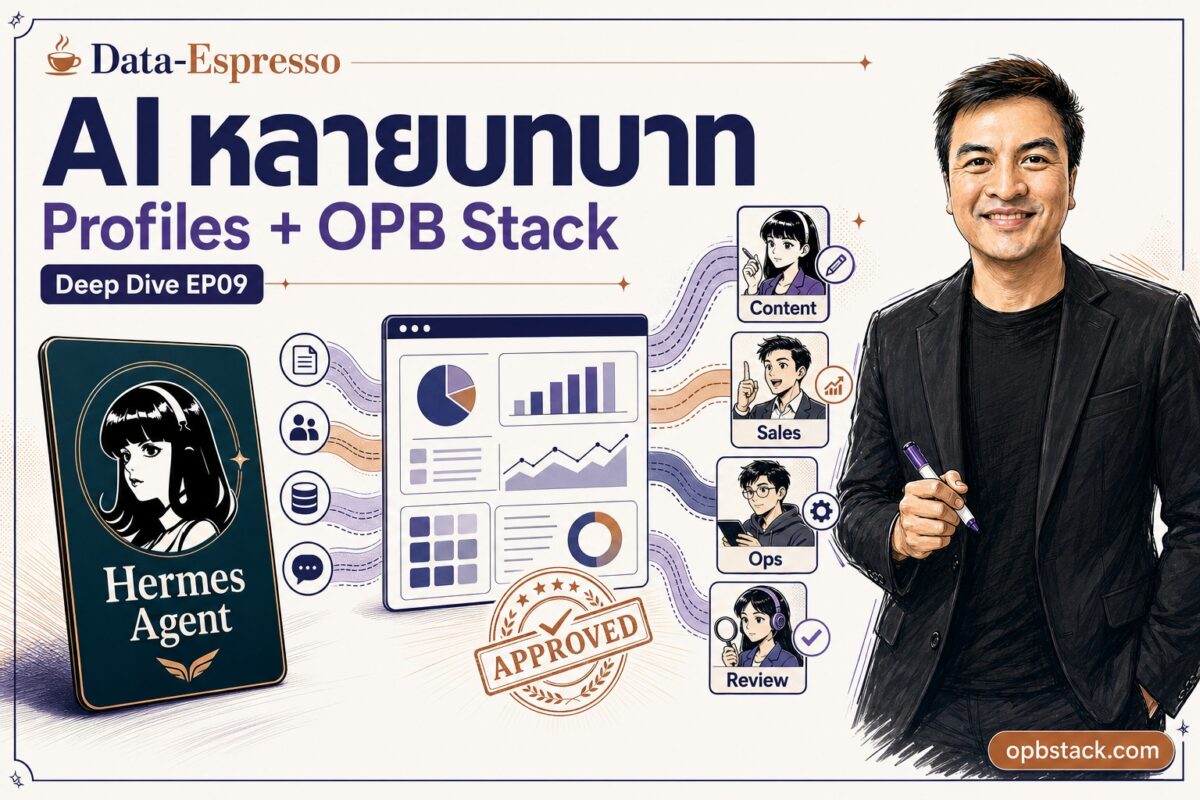
EP09: Profiles ระบบ AI หลายบทบาทของ Hermes
Series: Hermes Agent 101: จาก Chatbot สู่ AI Coworker ที่ทำงานจริง
EP08 เราดูว่า Hermes ทำงานเองได้ยังไงด้วย Cron และ Webhook EP09 นี้เราจะมาดูอีก layer ที่สำคัญมาก: ถ้า Hermes ทำงานหลายอย่างในเวลาเดียวกัน เราจะแยกมันยังไงไม่ให้สับสนกัน
ปัญหาของ AI ตัวเดียวที่ทำทุกอย่าง
ลองนึกภาพนี้: คุณมี Hermes instance เดียว และคุณใช้มันทำทุกอย่างในชีวิต:
- เช้า: เขียน content Facebook สำหรับ Data-Espresso
- สาย: review pull request ใน GitHub
- บ่าย: draft proposal ลูกค้าใหม่
- เย็น: debug production server ที่มีปัญหา
หลังจากทำแบบนี้สักสัปดาห์ สิ่งที่จะเกิดขึ้นคือ memory ของ agent จะเริ่มปนกัน
นักวิจัยเรียกปัญหานี้ว่า Context Pollution: สไตล์การเขียน content ปนเข้าไปใน code review วิธีคิด proposal ปนกับการ debug server Hermes ที่ควรจะ focused กลับ confused เพราะมันจำทุกอย่างในที่เดียวกัน
Profile คืออะไร
Profile = Hermes home directory แยกกันสมบูรณ์
แต่ละ profile มี:
| ส่วนประกอบ | ความหมาย |
|---|---|
config.yaml ของตัวเอง |
model, provider, toolset settings |
.env ของตัวเอง |
API keys, bot tokens |
SOUL.md ของตัวเอง |
บุคลิก personality และ instruction |
| Memory แยก | session history ไม่ปนกัน |
| Skills แยก | skill library เฉพาะบทบาท |
| Cron jobs แยก | schedule ของตัวเอง |
| Gateway แยก | Telegram/Discord bot ของตัวเอง |
เมื่อสร้าง profile ชื่อ coder Hermes จะสร้าง command alias ใหม่ให้ทันที:
coder chat
coder setup
coder gateway start
coder doctor
coder skills list
ทุก command ทำงานแยกกันสมบูรณ์กับ hermes หลัก
สร้าง Profile ทำยังไง
มีสามแบบ:
1. Blank profile (เริ่มใหม่สะอาด)
hermes profile create researcher
researcher setup   # ตั้ง API key และ model
researcher chat    # เริ่มใช้งาน
2. Clone config จาก profile หลัก (clone config เท่านั้น)
hermes profile create coder --cloneคัดลอก config.yaml, .env, SOUL.md จาก profile หลัก แต่ memory และ sessions เริ่มใหม่ เหมาะสำหรับสร้าง specialist ที่ใช้ provider เดียวกัน
3. Clone ทุกอย่างสมบูรณ์
hermes profile create backup --clone-allคัดลอกทุกอย่างรวมถึง memory, sessions, skills, cron jobs เหมาะสำหรับ backup หรือ fork agent ที่มี context อยู่แล้ว
Setup ที่ใช้งานได้จริง: 4 Profiles แยกบทบาท
hermes profile create coder --clone     # สำหรับ code งาน
hermes profile create content --clone   # สำหรับ content งาน
hermes profile create reviewer --clone  # ตรวจงานก่อน merge
hermes profile create ops --clone       # deploy และ monitoring
แต่ละ profile จะ SOUL.md ต่างกัน:
coder SOUL.md:
คุณเป็น coding specialist โฟกัสที่ implementation, debug, test, deploy
อย่าทำงาน content หรือ business ถ้าไม่จำเป็น
content SOUL.md:
คุณเป็น content specialist โฟกัสที่ research, เขียน, repurpose
ใช้ภาษาไทยก่อน technical term ภาษาอังกฤษโอเค
reviewer SOUL.md:
คุณเป็น reviewer ตรวจ code และ quality อย่างเป็นอิสระ
อย่า implement แก้ไขเอง ให้ report findings เท่านั้น
Gateway แยก: Telegram Bot ของตัวเอง
Feature ที่ powerful มากคือแต่ละ profile รัน gateway เป็น process แยกกัน พร้อม Telegram bot token ของตัวเอง
coder gateway start      # bot สำหรับถาม coder โดยเฉพาะ
content gateway start    # bot สำหรับถาม content โดยเฉพาะ
reviewer gateway start   # bot สำหรับส่งงานตรวจ
ผลลัพธ์ที่ได้:
- ถาม coder bot เรื่อง code ได้คำตอบจาก agent ที่ focused เฉพาะ
- ส่งงานให้ reviewer bot โดยไม่กังวลว่า coder จะ conflict
- content bot จำสไตล์เขียนของ Data-Espresso ชัดเจนกว่า เพราะ memory ไม่ปนกับ code debug
Token lock safety: ถ้าสอง profile ใช้ bot token เดียวกันโดยบังเอิญ Hermes จะ block และแจ้ง error ระบุชื่อ profile ที่ conflict ป้องกัน confusion
Profile vs Workspace vs Sandbox: อย่าสับสน
เรื่องนี้สำคัญมาก:
| Concept | Controls |
|---|---|
| Profile | Hermes state (config, memory, skills, sessions, gateway) |
| Workspace / terminal.cwd | Directory ที่ terminal tools เริ่มทำงาน |
| Sandbox | Filesystem access limits |
Profile ไม่ใช่ security sandbox
บน local terminal backend agent ยังเข้าถึง filesystem ทั้งหมดในฐานะ user account ของคุณ Profile แยก memory และ skills แต่ไม่ได้จำกัด filesystem access
ถ้าอยากให้ profile เริ่มที่ directory เฉพาะ ต้อง set terminal.cwd ใน config:
terminal:
  backend: local
  cwd: /Users/you/projects/my-product
Update ทำครั้งเดียว ทุก Profile ได้รับ
hermes update
# Code updated (12 commits)
# Skills synced: default (up to date), coder (+2 new), content (+2 new), reviewer (+2 new)
Skills ใหม่จาก Hermes team จะ sync ไปทุก profile อัตโนมัติ Skills ที่คุณแก้เองจะไม่ถูก overwrite
Share Profile เป็น Distribution
Feature ที่น่าสนใจมากสำหรับทีม: สามารถ package profile ทั้งหมดและ install ในเครื่องอื่นได้ด้วยคำสั่งเดียว
# Install agent จาก git repo
hermes profile install github.com/your-company/content-bot --alias

# Update ทีหลังเมื่อมีเวอร์ชันใหม่ (memory และ .env ของคุณจะไม่ถูก overwrite)
hermes profile update content-bot
Package จะรวม: SOUL, config, skills, cron jobs, MCP connections ไม่รวม: credentials, memories, sessions (per-machine เสมอ)
เหมาะสำหรับทีมที่ต้องการ standard agent setup ที่เหมือนกันทุกเครื่อง
ทำไม Profiles ถึงสำคัญสำหรับธุรกิจ
คิดแบบนี้: คนทำงานคนเดียวยังมี “โหมด” ต่างกัน คุณรู้ว่าตอนนี้กำลังคิดในฐานะ CEO หรือ developer หรือ marketer AI ก็ควรมีความชัดเจนแบบเดียวกัน
ผลลัพธ์จริงที่ได้จาก specialist profiles:
- Memory clean กว่า: coder ไม่จำสไตล์เขียน Facebook content ด้วย
- Output แม่นยำกว่า: reviewer ไม่มี conflict of interest กับ coder
- Skills เฉพาะทางกว่า: content profile สะสม skill เขียน Thai copy ไม่ปนกับ deployment skills
- ง่ายต่อการ audit: รู้ว่า session ไหนทำงานอะไร profile ไหนรับผิดชอบอะไร
สิ่งที่ไม่เปลี่ยน: ยังคุณเองที่ตัดสินใจ Profiles แยก context ให้ agent ทำงานได้ดีขึ้น ไม่ใช่ replace การตัดสินใจของคุณ
สรุป
Hermes Profiles แก้ปัญหา Context Pollution ด้วยการให้แต่ละ agent มี state แยกกันสมบูรณ์ สร้างง่าย ใช้งานง่าย และ scale ได้ตามความต้องการ
EP10 เราจะไปดูเรื่อง Security และ Sandbox: agent ที่ทำงานได้จริง ต้องมี guardrails จริงด้วย
—
Sources: Hermes Profiles docs | Official GitHub
OPB Stack tie-in: AI team ต้องมีบทบาท ไม่ใช่แชตรวมทุกเรื่อง
Founder/operator ที่ใช้ AI จริงมักเจอปัญหาเดียวกัน: วันนี้ให้ AI ช่วยคิด content พรุ่งนี้ให้ช่วยดู code มะรืนให้ช่วยวาง proposal แล้ว context ปนกันหมด
Hermes Profiles แก้ด้วยการแยกบทบาท เช่น content, business, coder, reviewer, ops แต่ยังอยู่ภายใต้ระบบงานเดียวกัน
สำหรับ OPB Stack นี่คือ product language ที่ดีมาก: AI coworker ไม่ใช่คนเดียวที่เก่งทุกอย่างแบบมั่ว ๆ แต่เป็นทีมบทบาทเล็ก ๆ ที่มี context แยก มี skill เหมาะงาน และส่ง proof ให้เจ้าของธุรกิจ approve
ดู managed path ได้ที่ opbstack.com
รับคู่มือ Claude AI + บทความใหม่ก่อนใคร
สมัครรับจดหมายจากอาร์ตี้ — ไม่สแปม ไม่เกิน 1–2 ฉบับ/สัปดาห์